Download Saykeep
Your 30-day free trial starts the first time you run the app — full features, no credit card.
macOS — recommended
Download Saykeep.dmg, drag Saykeep to your Applications folder, and open it. No terminal, no compiling. On first launch macOS will ask for Microphone and System Audio Recording permission — both are needed for meeting capture, and both are handled by the built-in setup guide. See what happens after you download.
System requirements
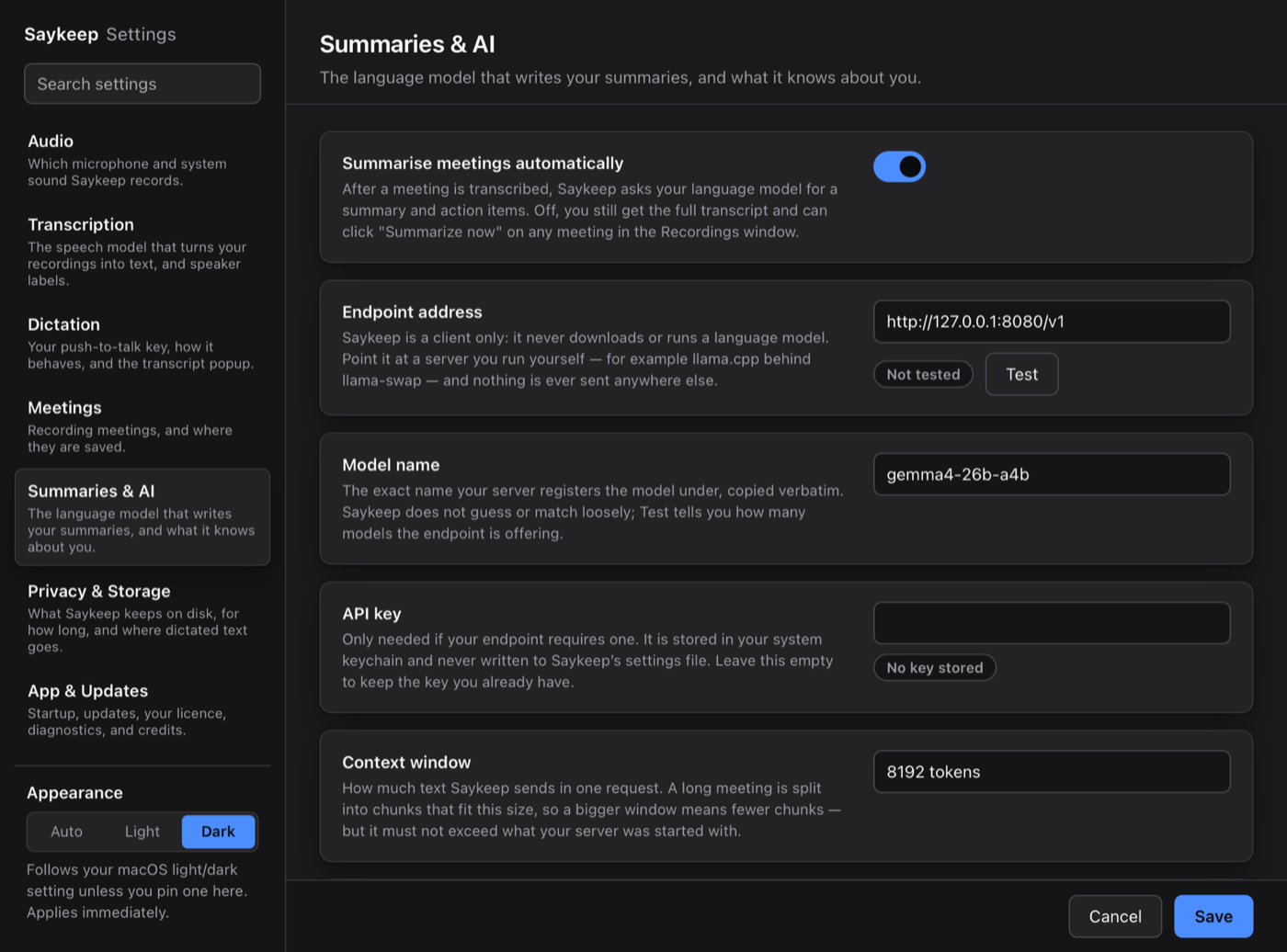
macOS 14.2 or later · Apple Silicon (M1 or later); Intel Macs are not supported · a few GB of free disk space for the local speech models (exact size depends on the model you pick) · optional, for meeting summaries only: an OpenAI-compatible LLM endpoint — a local server on your own machine (http://127.0.0.1) or any compatible service, with your API key. None is set out of the box, so summaries stay off until you choose one. Without one, meetings still record and transcribe — only the summary step is skipped.
Four things to know first.
The questions a stranger asks first, answered before you install anything.
It runs on Apple Silicon Macs
macOS 14.2 or later on an Apple Silicon Mac. Intel Macs are not supported. There is no Linux or Windows download yet — the cards below say what exists for each.
First run downloads the speech models
Once, behind a visible progress window: about 4.7 GB with the default models (the window counts in binary units — its two counters add up to roughly 4.4 GB), plus a ~30 MB speaker-label model. So the first run needs a connection and as long as your line takes. A model already on disk is never downloaded again.
Three macOS permissions
Microphone, to hear you. Accessibility, which powers the push-to-talk key and Insert at cursor — Saykeep's setup wizard requests it and you switch it on in System Settings › Privacy & Security; without it the hotkey cannot work. System Audio Recording, for the other side of a call.
Summaries need an endpoint you connect
Saykeep ships no language model. Summaries are written by an OpenAI-compatible endpoint you connect yourself — a local model server you install and run (llama.cpp, LM Studio, Ollama — enter its address), or a cloud API with your own key. Out of the box, meetings record and transcribe, and no summary appears until you connect one.
Linux — advanced
Saykeep runs on Linux internally (X11 desktop; meeting system audio through PipeWire, pw-record, rather than a driver install) and the developer uses it that way — but there is no package, installer or public source to install from yet, and Wayland sessions are untested. Email support@saykeep.app to be told when a Linux build exists.
Windows
A Windows build exists but isn't released yet — it has been built and run on real Windows 11 hardware; validation is not finished. Leave an email and we’ll reply once, the day it ships — nothing else, and no tracking pixels in the mail.
What you get on every platform
Hold a hotkey, speak, release; text lands at the cursor or clipboard.
Records mic + system audio locally, with speaker labels and optional summaries.
See the privacy page for the verifiable connection list.
After the 30-day trial, enter your license key in Settings → License to keep using capture. Even after the trial ends you can still open and browse everything you’ve already recorded — only new capture is gated.